Menu Close
  • References
  • Pricing
Close
  • References
  • Pricing
+49 89 3090 839 30

Contact

Made in Germany · ISO 27001 · GDPR-compliant

Data Migration to SoftDeCC: Preparation & Process

Faster Migration Through Thorough Preparation

When switching to SoftDeCC, our implementation team handles the actual data migration as part of the rollout—you don’t have to carry out the process yourself. However, there are steps you can take to significantly speed up the process: The more clearly you identify which data is to be transferred from which system, the smoother the actual migration will go.

Personal Support

Test Installation

Hosting Options

Training Management Software

Examples of Data Import

What types of data are typically migrated

Data CategoryExamples
Course OfferingsLearning Format, Duration, Descriptions, Prices
Participant Master DataName, Contact Information, Organizational Affiliation, Role
Course and Training HistoryCourses Completed, Attendance Dates, Completion Dates
Certificates and Qualification RecordsCertificates Issued, Validity Periods, Recertification Dates
Trainer ProfilesQualifications, Availability, and, if applicable, Fee Rates
Role and Permission StructuresAccess Profiles, Organizational Hierarchies
Resource Master DataRooms, Equipment, Locations (for Seminar Management)

Not every category is relevant for every migration. Which data is actually transferred depends on the previous system and your specific needs.

LMS Discussion

How to Prepare

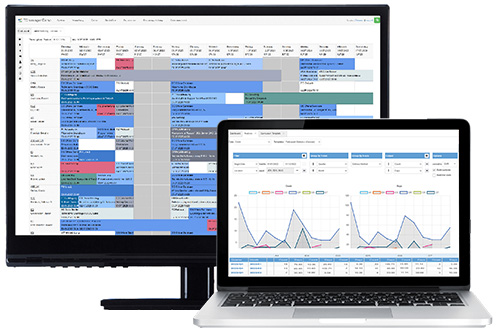
TCmanager® automatically detects conflicts, centrally manages resources, and scales from a single-business operation to an international academy.

1.

Identify data sources: Which system(s) currently contain participant, course, and certificate data? Often, there are multiple sources at the same time (old LMS, Excel lists, HR system).


2.

Roughly assess data quality: Are there duplicate entries, outdated contact information, or inconsistent formats? An early assessment makes it easier to clean up the data later.


3.

Clarify required fields: Which data must be included (e.g., valid certificates for compliance documentation), and which is optional?


4.

Identify the responsible parties: Who in your company can answer questions about legacy data—IT, HR, or training administration?


5.

Coordinate the timeline: The migration and testing phases should be coordinated with upcoming training dates to avoid creating an additional workload.

Typical Data Migration

How a migration supported by SoftDeCC typically proceeds
1

Assessment

Jointly determine which data sources and categories should be migrated.

2

Data Export

The identified legacy data will be provided in an agreed-upon format. We can advise you on suitable export formats from common source systems.

3

Mapping & Import

Our implementation team converts the data into the SoftDeCC data structure, including data cleansing and consistency checks.

4

Validation

Migrated data will be verified in the test environment together with your pilot team before production goes live.

5

Go-live

After successful validation, the system is approved for routine operation.

.sd-timeline { font-family: 'Figtree', -apple-system, BlinkMacSystemFont, 'Segoe UI', Arial, sans-serif; position: relative; max-width: 640px; margin: 0 auto; padding: 40px 0; } .sd-timeline-track { position: absolute; left: 27px; top: 40px; bottom: 40px; width: 4px; background: #d9d9d9; border-radius: 2px; } .sd-timeline-progress { position: absolute; top: 0; left: 0; width: 100%; height: 0%; background: #005daa; border-radius: 2px; transition: height 0.15s linear; } .sd-step { position: relative; display: flex; gap: 24px; padding-bottom: 56px; } .sd-step:last-child { padding-bottom: 0; } .sd-circle { flex: 0 0 56px; width: 56px; height: 56px; border-radius: 50%; background: #ffffff; border: 3px solid #1a1a1a; display: flex; align-items: center; justify-content: center; font-weight: 700; font-size: 20px; color: #1a1a1a; z-index: 2; transition: border-color 0.3s ease, color 0.3s ease, background 0.3s ease, transform 0.3s ease; } .sd-step.is-active .sd-circle { border-color: #005daa; color: #ffffff; background: #005daa; transform: scale(1.05); } .sd-content h3 { margin: 8px 0 6px; font-size: 18px; color: #1a1a1a; transition: color 0.3s ease; } .sd-content p { margin: 0; font-size: 15px; line-height: 1.5; color: #555555; } .sd-step.is-active .sd-content h3 { color: #005daa; } @media (max-width: 480px) { .sd-timeline-track { left: 21px; } .sd-circle { flex: 0 0 44px; width: 44px; height: 44px; font-size: 16px; } } (function () { const timeline = document.getElementById('sdTimelineMigration'); const progress = document.getElementById('sdProgressMigration'); const steps = timeline.querySelectorAll('.sd-step'); // Kreise einzeln highlighten, sobald sie die Bildschirmmitte erreichen const observer = new IntersectionObserver( (entries) => { entries.forEach((entry) => { entry.target.classList.toggle('is-active', entry.isIntersecting); }); }, { rootMargin: '-45% 0px -45% 0px', threshold: 0 } ); steps.forEach((step) => observer.observe(step)); // Fortlaufende blaue Linie passend zum Scrollfortschritt innerhalb der Timeline function updateProgressLine() { const rect = timeline.getBoundingClientRect(); const viewportMid = window.innerHeight * 0.5; const total = rect.height; const scrolled = viewportMid - rect.top; const pct = Math.max(0, Math.min(1, scrolled / total)); progress.style.height = (pct * 100) + '%'; } window.addEventListener('scroll', updateProgressLine, { passive: true }); window.addEventListener('resize', updateProgressLine); updateProgressLine(); })();
Seminar Management Software

Checklist

Are you ready for the data migration?

☐

Is it clear from which system(s) the data should be imported?


☐

Have the required data (in particular, valid certificates and proof of compliance) been identified?


☐

Is there a rough assessment of the data quality in the legacy systems?


☐

Has an internal contact person been designated to handle inquiries regarding legacy data?


☐

Has the migration been scheduled to coincide with upcoming training sessions?

Get More Information for Free Now

Ready for precise data migration?

In just 30 minutes, learn how SoftDeCC’s trial phase, implementation, and data migration can efficiently and cost-effectively optimize your training organization.

✓

Over 25 Years of Expertise

✓

Made in Germany

Frequently Asked Questions

FAQs on Data Migration

Do I have to perform the data migration myself?

No, the actual migration would likely be carried out by the SoftDeCC implementation team. However, thorough preparation—such as identifying relevant data sources—should significantly shorten the process.

Which data should be prioritized before the migration?

Above all, compliance-related data—such as valid certificates and proof of qualifications—since gaps in this area are most likely to cause problems. Details on the documentation requirement: LMS for compliance training →.

How long does a typical data migration take?

The timeframe depends on the volume of data, the number of source systems, and the quality of the data. Details will be discussed during a personalized consultation.

Migrated data will be validated as part of the test installation in collaboration with your pilot team before production begins. Details: Test installation →.

Is SoftDeCC GDPR-compliant and available for mobile use?

Yes. Fully mobile-friendly on smartphones, tablets, and desktops. GDPR-compliant, ISO 9001 and ISO 27001 certified, with servers located in Germany.

This site is registered on wpml.org as a development site. Switch to a production site key to remove this banner.